Display Calibration Colorimeter
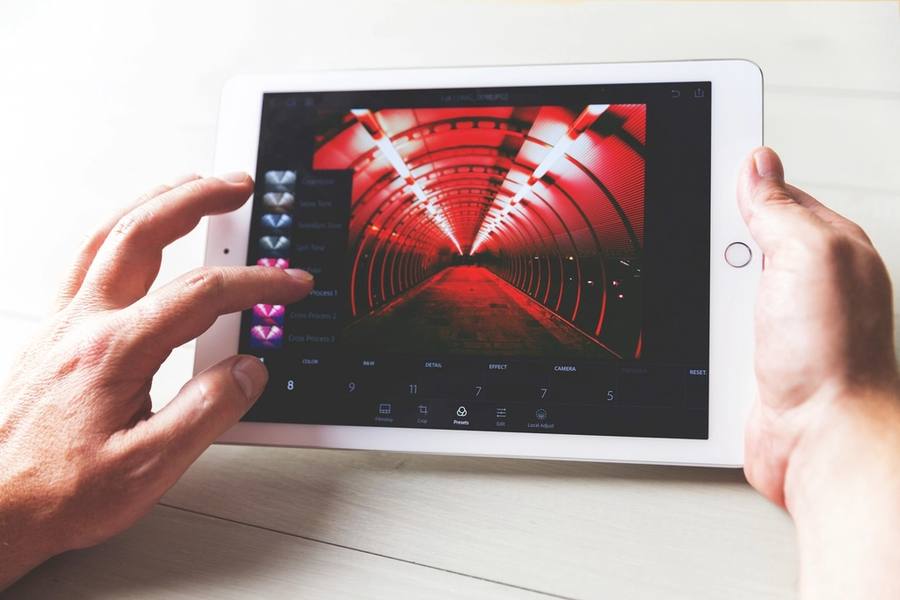
Image illustrative (photo de stock) ; ce n'est pas le produit exact.
Why Eyes Cannot Do This
Human vision adapts continuously to whatever it is looking at, which is why a room looks normal under warm lamps and under daylight despite the light being completely different.
That adaptation makes visual calibration impossible in principle. You cannot judge whether a white is neutral when your perception has already adjusted to call it white.
A colorimeter measures the actual light coming from the screen with no adaptation, which is why the measurement is meaningful and an opinion is not.
What Calibration Produces
The device displays a series of known colour patches, measures what the screen actually emits, and builds a profile correcting the difference.
That profile is then applied by the operating system, or ideally written into the monitor itself, so images display as intended rather than as the panel happens to render them.
The result is that the image on your screen matches what another calibrated screen shows, and predicts reasonably what a print will look like.
Drift Means Repeating It
Panels change with age and use — backlights dim, colour shifts — and a calibration from a year ago no longer describes the display.
Monthly recalibration is the usual professional recommendation, and most software will prompt on a schedule so it becomes automatic rather than remembered.
Calibrating once and considering it done is the commonest mistake, and it means working from an increasingly inaccurate profile while believing it is correct.
Ambient Light Measurement
Better colorimeters measure room lighting as well and adjust the target brightness accordingly, which matters because a screen calibrated for a dark room is far too bright in a bright one.
That does not replace controlling the room, and neutral surroundings and consistent lighting still matter considerably for judging images.
A bright window behind a monitor is the worst common arrangement, and repositioning the desk is more effective than any software compensation.
Printing And Soft Proofing
For print work, calibration is only half of the picture — the printer, paper and ink combination also needs a profile describing how it reproduces colour.
Soft proofing uses both profiles to simulate on screen what a specific paper will produce, including colours it cannot reproduce at all.
Without that, prints differing from the screen is inevitable, and it is usually the paper profile rather than the monitor that is missing.
Target settings are worth understanding rather than accepting defaults, because calibration software asks for a white point, a gamma and a brightness level. For most photographic work a daylight white point, a standard gamma and a screen brightness considerably lower than factory default are the usual targets, and factory brightness is the setting people most often leave wrong. A screen far brighter than the print viewing conditions produces prints that look consistently too dark.
The Verdict
The device that turns a claimed-accurate monitor into an actually accurate one, and the necessary companion to any colour-critical display.
It must be repeated regularly rather than once, room lighting still matters, and print accuracy needs paper profiles as well.
Recalibrate monthly. A profile from a year ago describes a display that no longer exists, and you will trust it anyway.
En un coup d'œil
Avantages
- Measures actual output rather than relying on adaptable vision
- Makes your screen match other calibrated screens
- Better models measure and compensate for room lighting
- Essential companion to any colour-accurate monitor
Inconvénients
- Must be repeated monthly, not once
- Does not replace controlling room lighting
- Print accuracy also needs paper and printer profiles
- An additional cost on top of the monitor
Questions fréquemment posées
Why can I not just adjust it by eye?
Because human vision adapts continuously — a room looks normal under warm lamps and under daylight despite completely different light. You cannot judge whether a white is neutral when your perception has already adjusted to call it white.
How often should I recalibrate?
Monthly. Backlights dim and colour shifts with age and use, so a profile from a year ago describes a display that no longer exists. Calibrating once and considering it done is the commonest mistake.
Why do my prints still not match?
Usually a missing paper profile rather than the monitor. The printer, paper and ink combination needs its own profile, and soft proofing uses both to simulate on screen what that specific paper will actually produce.
Spécifications
| Type | Display calibration colorimeter |
| Method | Measures known patches, builds correction profile |
| Why not by eye | Human vision adapts continuously |
| Frequency | Monthly recalibration |
| Ambient | Better models measure room light |
| Profile storage | Operating system or monitor hardware |
| For print | Also needs paper and printer profiles |
| Soft proofing | Simulates a specific paper on screen |
Résumé
Turns a claimed-accurate monitor into an actually accurate one. Recalibrate monthly — a year-old profile describes a display that no longer exists.
Vérifier le prix sur Amazon